How to Start Your First Home Workout (With or Without Equipment)
A detailed guide on how to choose your training plan, follow animated 3D video models, and record your daily training achievements.
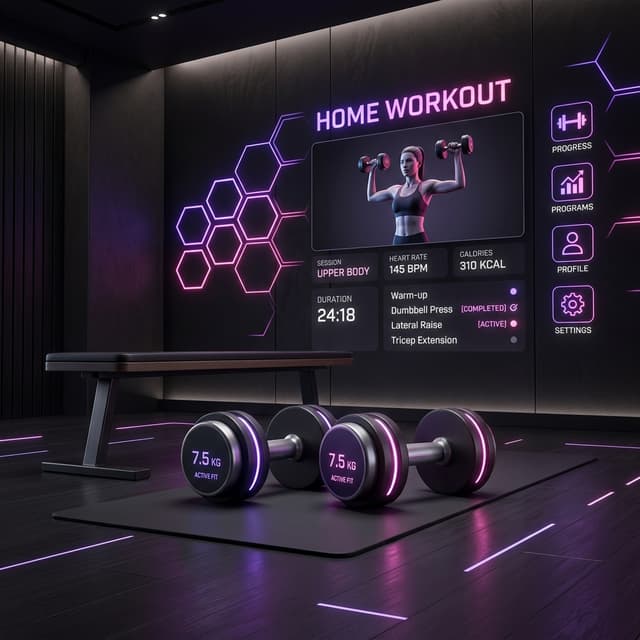
Ready to train but not sure where to start? No worries. With Eres Fitness Woman, you have access to dozens of workouts tailored for home fitness, designed especially to help you exercise efficiently and optimize your time.
Follow this quick guide to start your first workout:
1. Choose Your Training Plan
When you open the mobile app, go to the Plans section. You can filter the plans based on:
- Your Goal: Fat loss, muscle gain, glute toning, or cardio/HIIT.
- Difficulty Level: Beginner, Intermediate, or Advanced.
- Equipment Available: "No equipment" (bodyweight) or "With basic equipment" (dumbbells and resistance bands).
Once you find the ideal plan, tap "Activate Plan" to set it on your daily dashboard home screen.
2. How to Use the Workout Player
When you press "Start Workout", the app guides you exercise by exercise:
- HD 3D Demonstration Videos: Each exercise features an HD animated 3D model showing the correct form and technical execution from different angles. Pay close attention to posture!
- Log Sets & Reps: Type in the weight used and the reps completed for each set.
- Automatic Rest Timer: When you check a set as complete, a rest timer begins. Take this time to catch your breath and hydrate.
Don't skip rests! Rest periods between sets are essential to restore cellular energy (ATP) levels and maintain workout intensity.
3. Finalize and Record Your Session
Upon completing all exercises, tap "Finish Workout". The app logs:
- Total workout duration.
- Total weight volume lifted.
- Estimated calories burned.
- Your earned experience points (XP).